Option 1: Drop a Mail to Customer Care
- Email Address: Send an email to customercare@ajfan.in.
- Provide Details: Clearly explain the issue you're facing. Include important information such as:
- Your name and contact details.
- The order number (if applicable).
- A detailed description of the problem.
- Response Time: The team will review and respond to the issue within 24 hours.
Option 2: Register the Complaint via the Customer Portal
Sign Up: First, create an account by signing up using this link: Ajfan Support Portal Sign-Up.
Submit a Ticket:
- Once logged in, you'll find an option to Submit a Ticket.
- Click on this option to start the complaint registration.
Provide Your Query: Fill in the required details and submit your complaint.
Response Time: The issue will be addressed within 24 hours.
Ticket Status : https://ajfan.freshdesk.com/support/tickets
Both options will help you address your concerns, with prompt resolution within the given time frame.
1. Sign Up 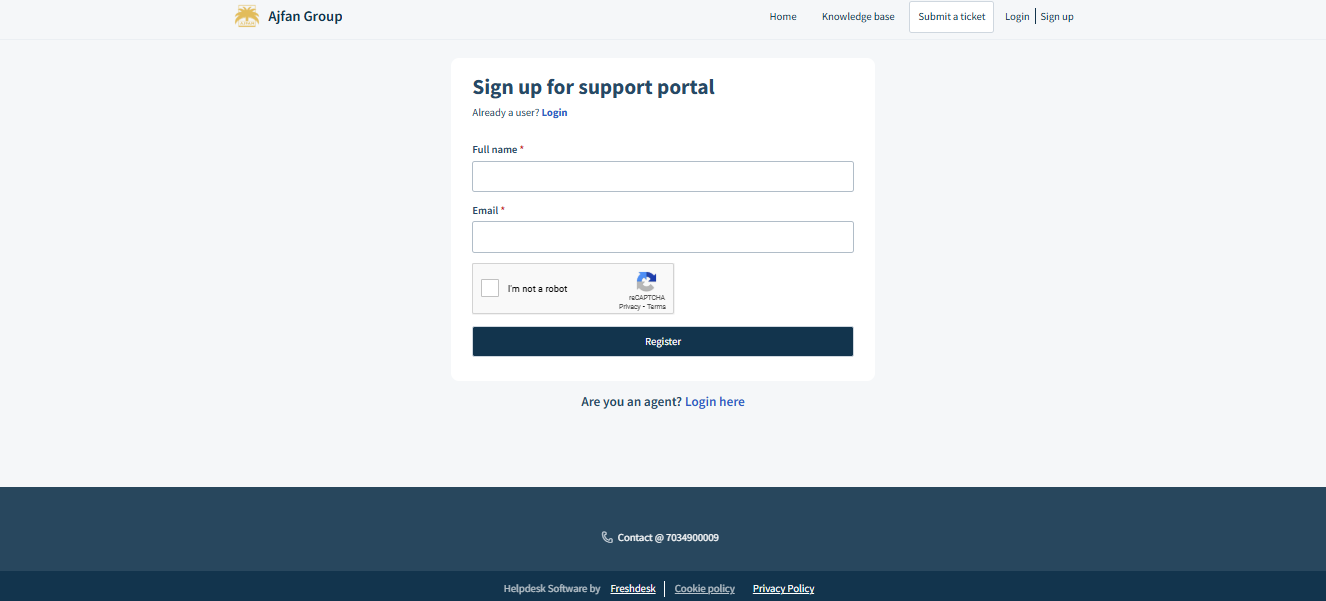
2. Submit a Ticket: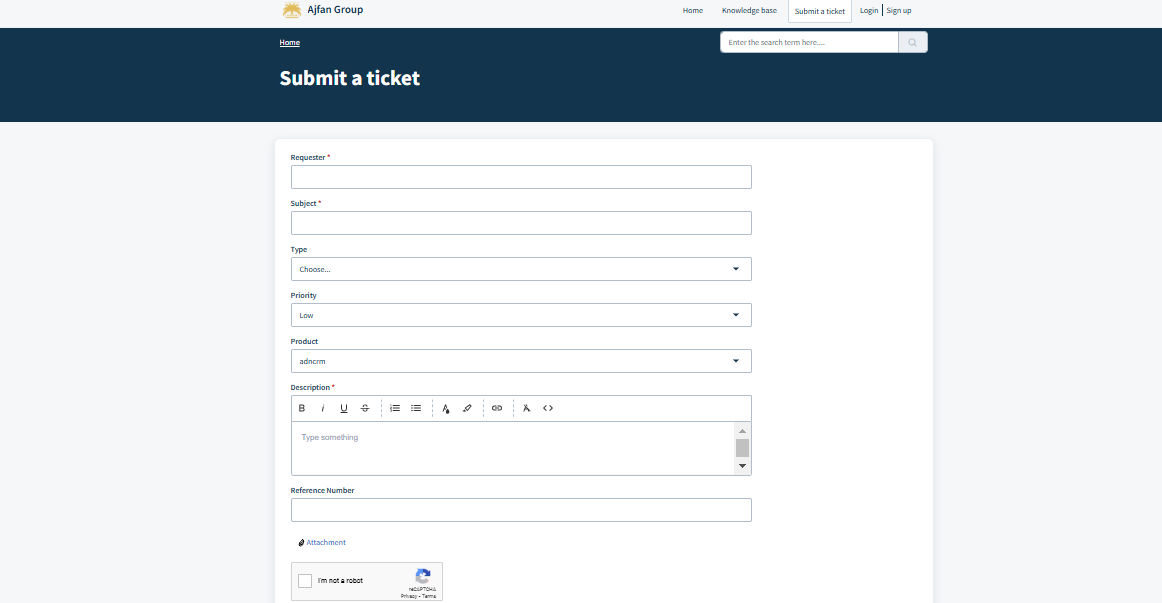
Was this article helpful?
That’s Great!
Thank you for your feedback
Sorry! We couldn't be helpful
Thank you for your feedback
Feedback sent
We appreciate your effort and will try to fix the article